


Specimen Pickup Options
DLO offers several convenient ways for clients to get specimens to our laboratories. Whether your practice has a regularly scheduled route, needs an occasional pickup or needs to arrange a STAT specimen pickup, choose the option that works best for your workflow.
Scheduled Route Service
Clients with regularly scheduled pickups can work with DLO to establish a route that fits their specimen volume and workflow.
Pickup schedules may be arranged as daily, weekly or customized routes based on your practice's needs.
Interested in establishing or modifying a route? Contact your DLO Account Executive or Route Service Representative team.
Schedule Online with Quanum®
Need an additional pickup? DLO clients with access to Quanum® Lab Services Manager can request specimen pickups online at their convenience.
You can submit a pickup request, save frequently used pickup information for one-click requests and view, modify or cancel eligible pickups.
Call to Schedule a Pickup
Prefer to speak with a DLO representative? Clients can call to request a specimen pickup through our Route Service Representative team.
Toll Free:
1 (800) 891-2917
Option 3
Need a STAT Pickup or STAT Testing Information?
If your practice regularly submits STAT testing or needs to identify which tests are available as STAT, DLO provides separate STAT Testing Menus for the Oklahoma City and Tulsa areas.
Use the appropriate menu below to identify available STAT testing for your area.
Oklahoma City STAT Testing
View the STAT testing menu for the Oklahoma City area.
Schedule a Pickup Online with Quanum®
Quanum® Lab Services Manager gives DLO clients another convenient way to request and manage specimen pickups online.
Request a Pickup
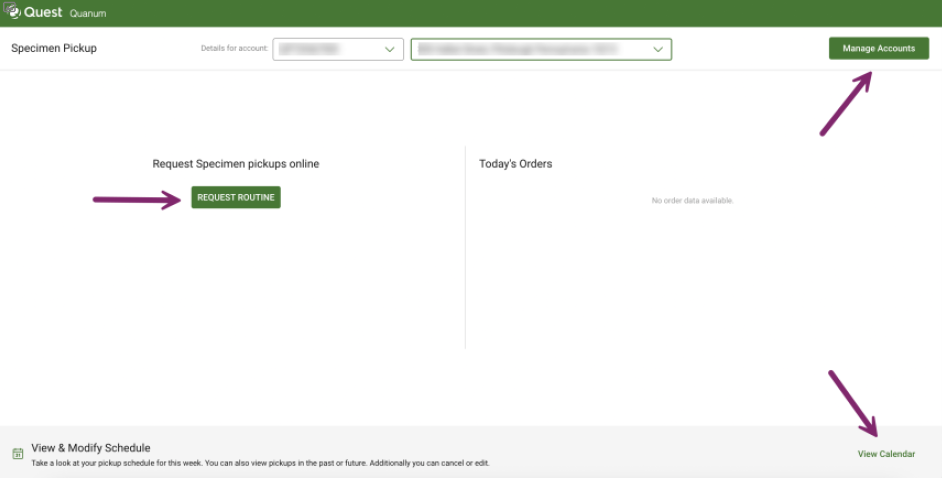
Within Quanum® Lab Services Manager, select Specimen Pickup from the left navigation pane. From the Specimen Pickup page, you can create a new pickup request, submit a saved one-click request or access your current pickup schedule.
Create a New Pickup Request
Select Start a New Request, enter the requested pickup details and select Submit.
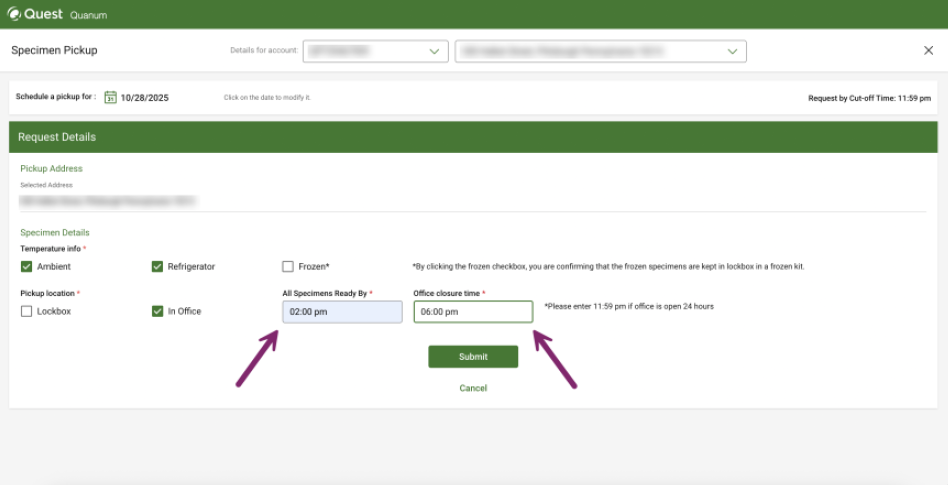
Important: When entering the All specimens ready by time, enter the time that all specimens at your facility will be ready. Use the required time format shown in Quanum.
View & Manage Your Pickup Schedule
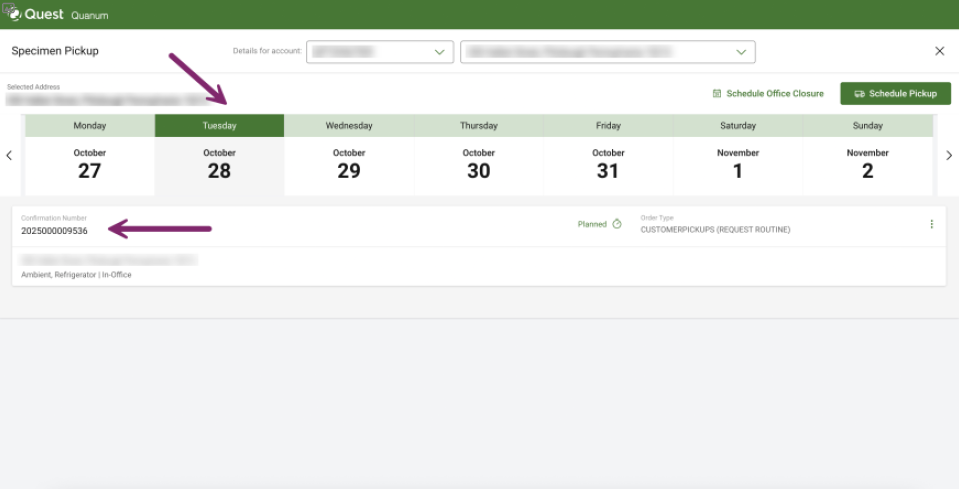
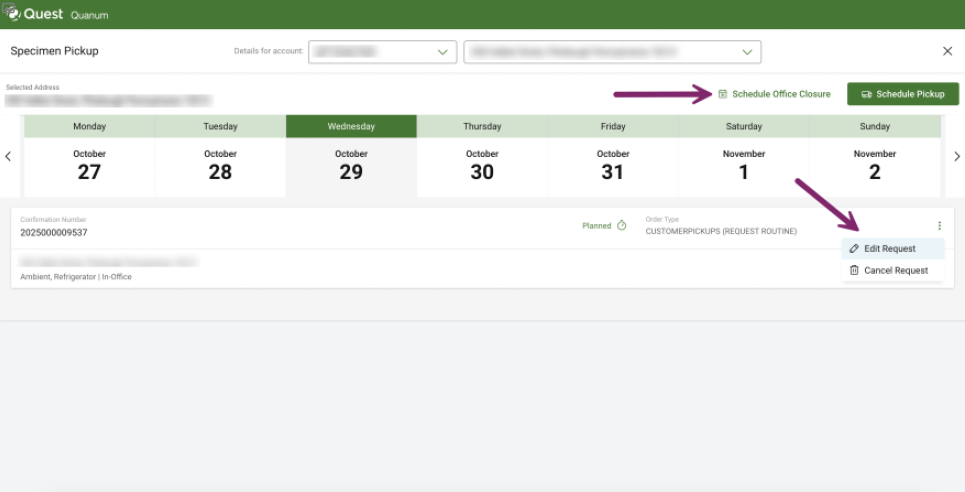
Select View & Modify Schedule from the Specimen Pickup page to view scheduled pickups by day. Depending on the pickup, you may also be able to edit or cancel a request or schedule an office closure.
Save Time with One-Click Pickup Requests
If you frequently request pickups with the same information, Quanum® allows you to save your pickup details for future one-click requests.
Need Help?
If you need help with your Quanum® account or online pickup scheduling, contact your DLO Account Executive or DLO Client Services.
Client Services:
1 (800) 891-2917
Pickup Requests:
Option 3